Default Workstation Settings
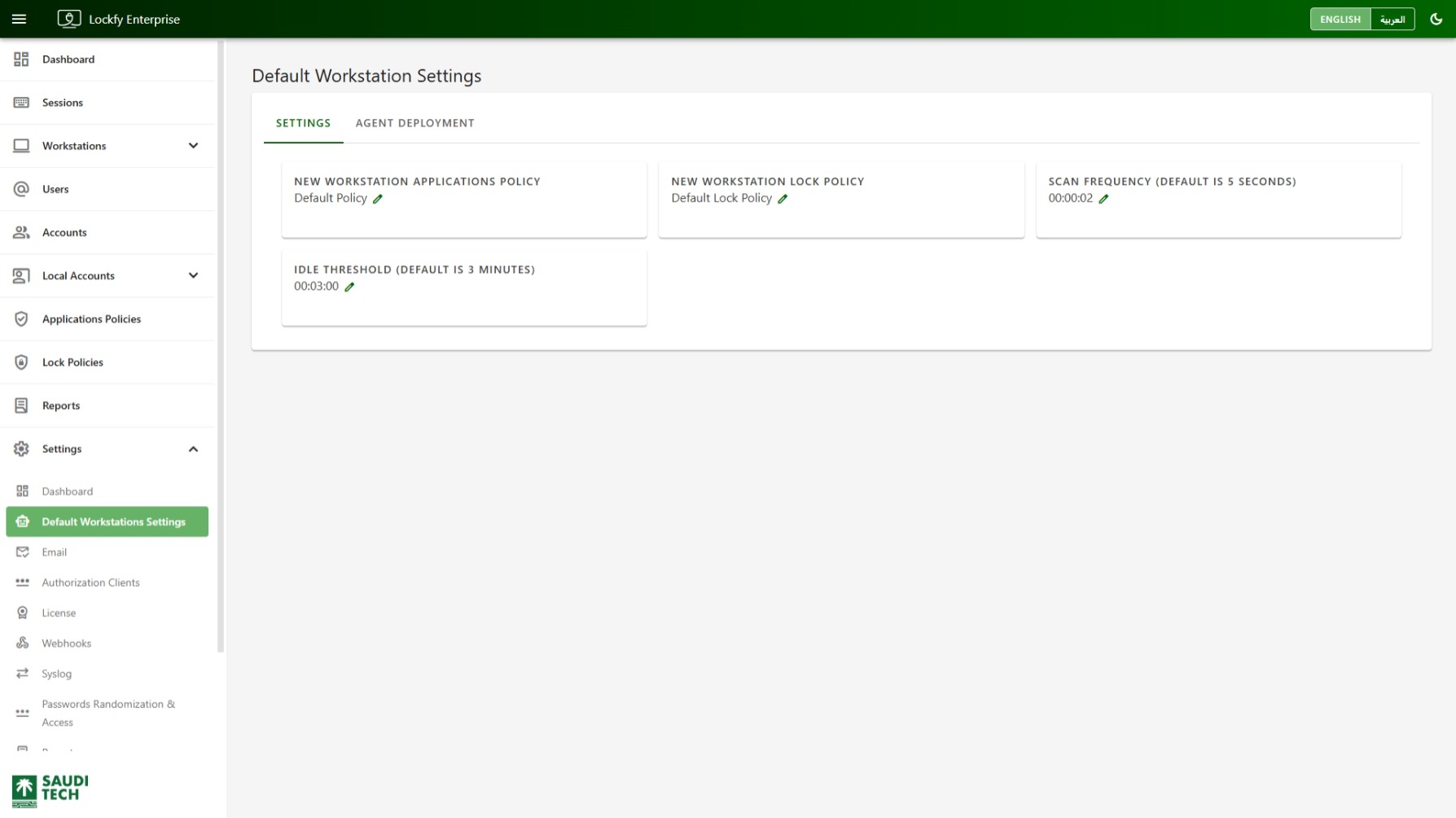
Use the Default Workstation Settings page to define the baseline configuration applied to newly managed workstations. The page contains two tabs: Settings and Agent Deployment.
Settings Tab
Section titled “Settings Tab”The Settings tab controls the default values Lockfy uses when a workstation is first registered.
The page shown includes the following configurable items:
New Workstation Applications Policy: The default applications policy assigned to newly discovered workstations.New Workstation Lock Policy: The default lock policy assigned to newly discovered workstations.Scan Frequency: How often the agent checks in or performs its scheduled scan cycle. The example shown is00:00:02.Idle Threshold: The amount of inactive time before a session is treated as idle. The example shown is00:03:00.
Each card includes an edit action represented by the pencil icon. Use it to change the current default value.
These defaults relate directly to Applications Policies List and Lock Policies List.
Recommended Use
Section titled “Recommended Use”These defaults should reflect the baseline configuration you want applied without requiring per-device setup.
Examples:
- Set the default applications policy to your standard compliance profile.
- Set the default lock policy to the rule set most workstations should inherit.
- Keep
Scan Frequencyshort enough to provide timely updates without creating unnecessary overhead. - Set
Idle Thresholdto match your organization’s unattended-session policy.
Agent Deployment Tab
Section titled “Agent Deployment Tab”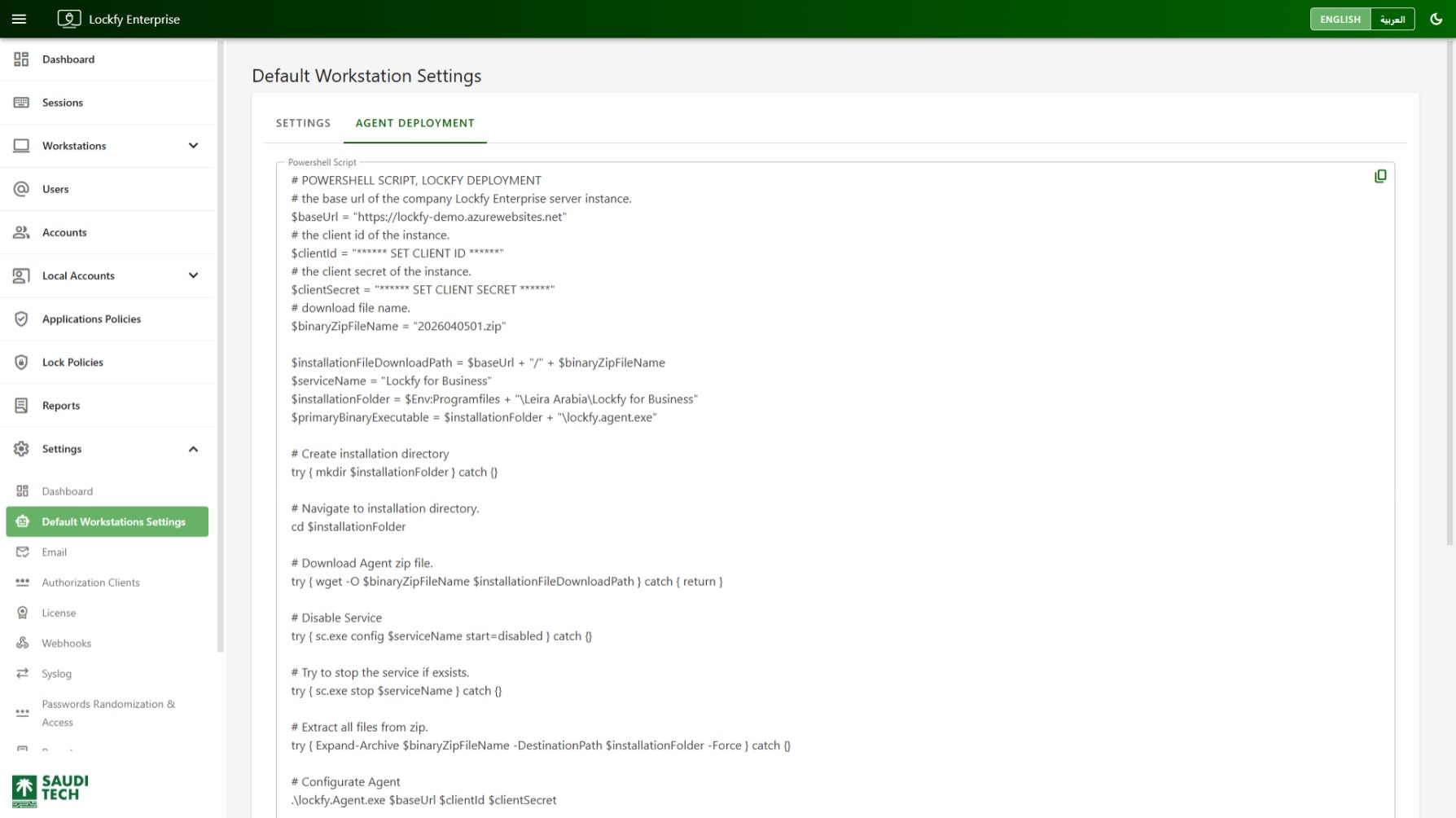
The Agent Deployment tab provides a PowerShell deployment script that can be used to install or update the Lockfy agent on Windows devices.
The script includes tenant-specific values such as:
BaseUrl: The Lockfy server address.ClientId: The client identifier for the agent instance.ClientSecret: The related client secret.binaryZipFileName: The current downloadable agent package.
The script then performs the required deployment steps, including:
- Creating the installation directory.
- Downloading the agent package.
- Stopping or disabling the previous service if it exists.
- Extracting the installation files.
- Running the Lockfy agent executable with the configured connection values.
Use the copy action in the top-right corner of the script box to copy the full PowerShell script for reuse in administrative workflows.
If the script uses an agent client, review Authorization Clients to confirm the required credentials are available.
Deployment Guidance
Section titled “Deployment Guidance”The script shown on this page is intended for administrator-driven deployment scenarios. It is most useful when you need a ready-to-copy command sequence tied to the current Lockfy instance.
For step-by-step deployment guides, see PowerShell (Manual), Group Policy Objects (GPO), and the Lockfy Agent overview.
Operational Notes
Section titled “Operational Notes”Changes on this page affect the default behavior for newly onboarded workstations. Existing workstations may keep their currently assigned policies unless you update them separately.