SIEM Integration
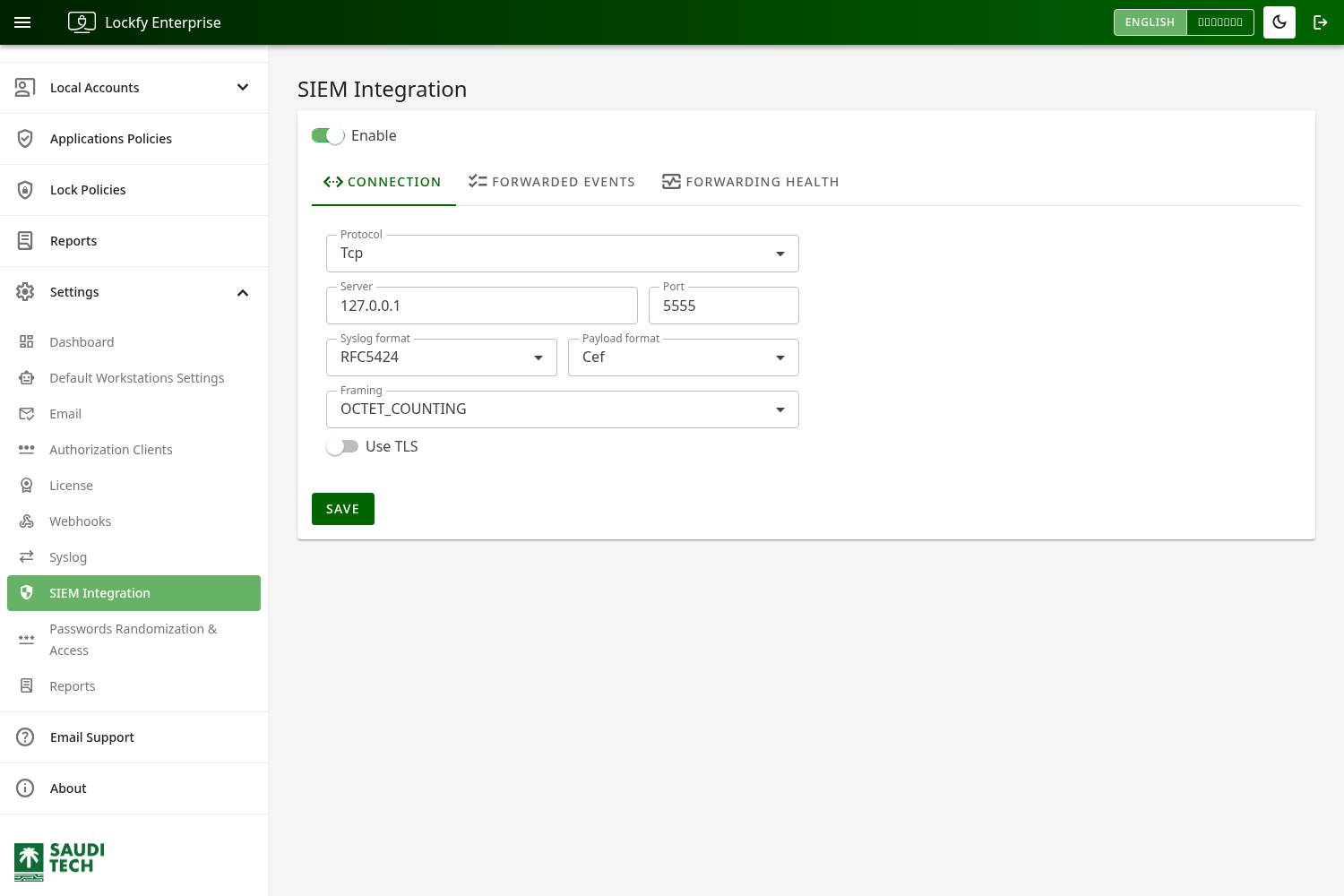
Use the SIEM Integration page to forward Lockfy security and operational events to a SIEM platform or centralized logging server such as Graylog, Splunk, or Microsoft Sentinel. It emits a richer, SOC-focused set of events than the legacy Syslog page, lets you enable each event type individually, and writes events in a structured, SIEM-parseable format.
SIEM Integration runs independently of the legacy Syslog feature. If you currently use the Syslog page, you can migrate to SIEM Integration and turn the legacy page off once your receiver is validated. For HTTP-based event delivery instead of syslog forwarding, see Webhooks.
Connection
Section titled “Connection”Configure the connection to match the listener settings expected by your SIEM or syslog receiver:
Enable: Turns SIEM forwarding on or off.Protocol: Transport protocol —TCPorUDP. ChooseTCPwhen reliable, stream-based delivery is required.Server: The address of the destination SIEM or syslog server.Port: The destination port the receiver listens on.Syslog format: The syslog envelope —RFC5424orRFC3164. Choose the format your receiver expects.Framing: How messages are delimited —CRLF,CR,LF,NUL, orOCTET_COUNTING.Use TLS: Enables encrypted transport (TCP only). When enabled, provide the certificateThumbprintfor the trusted certificate.
Select Save after changing the configuration. Changes are applied without restarting the server and propagate to all running instances.
Payload Format
Section titled “Payload Format”The Payload Format selects how each event is encoded:
CEF(default): Common Event Format. Recommended for SIEM correlation — every event carries a stable event class ID, an explicit severity (0–10), and standard fields (suser,duser,dvchost,src,rt,outcome) plus Lockfy-specific custom fields.Legacy: A free-form key/value message, provided for backward compatibility with the older Syslog format.
A CEF event looks like this:
CEF:0|Lockfy|Enterprise|2.13.3.1|cred.access|Local Account Password Accessed|7|rt=1782283722456 [email protected] duser=sampleuser dvchost=WS-01 src=203.0.113.10 outcome=success cs1Label=serverInstance cs1=api-01For the complete list of event types and the exact fields each one emits, see the SIEM Event Reference.
Event Types
Section titled “Event Types”
Events are grouped into categories, and you can enable or disable each event type individually (or a whole category at once):
- Session activity — session started, ended, idled, activated, locked, unlocked, and locked by Lockfy.
- Privileged credential — local-account password accessed, randomized, or operation failed.
- Application compliance — workstation compliance changes and individual compliance requirements.
- Admin actions (audit) — configuration changes, policy changes, manual session locks, and user/role changes.
- Local account lifecycle — local accounts created, deleted, enabled/disabled, password-expiry changes, and group add/remove.
- Asset connectivity — workstations connecting and disconnecting.
- Software inventory — applications and browser extensions installed or removed.
- Authentication — portal sign-in success, sign-in failure, and token issuance.
Each event carries an explicit severity so high-signal events (for example, an account added to a privileged group, or a credential access) are not lost or down-ranked.
Suppress first-inventory events
Section titled “Suppress first-inventory events”When Suppress inventory events on a workstation's first scan is enabled (default), Lockfy does not emit software-inventory and local-account drift events on a workstation’s first inventory run. This prevents an event flood at enrollment, where every pre-existing application would otherwise appear as newly installed. The first run silently establishes the baseline, and only subsequent changes are reported. Disable it if you want the full first-run snapshot.
Test Events
Section titled “Test Events”Use the test controls to validate your pipeline before relying on live events:
Send testsends a sample of a single selected event type.Send one of eachsends one sample of every event type so you can confirm that each event class ID and field mapping is parsed correctly by your SIEM.
Health
Section titled “Health”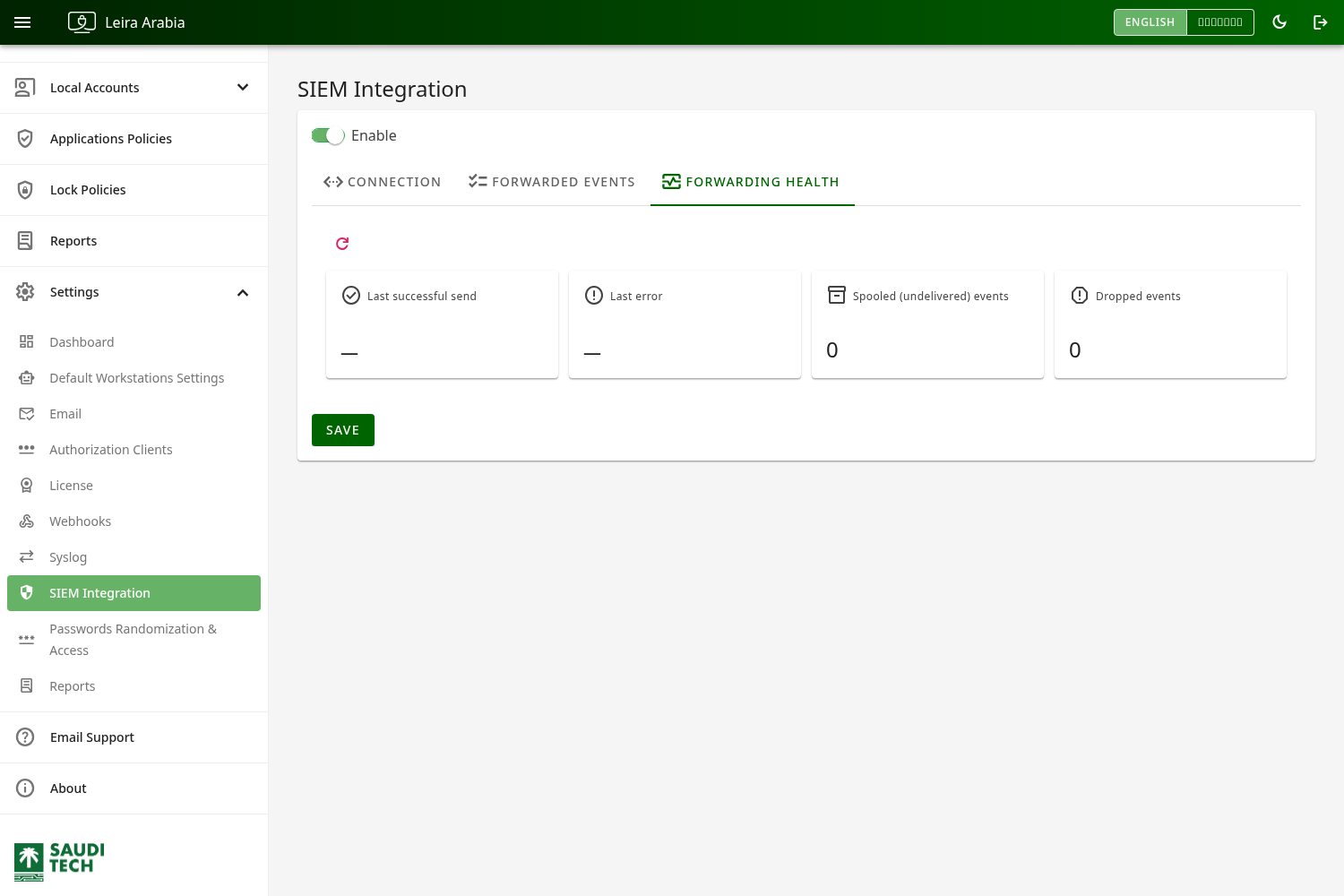
The page surfaces a health summary — last successful delivery, last error, the number of events currently spooled (buffered when the receiver is unreachable), and any dropped count — so you can confirm events are flowing.
Migrating from Syslog
Section titled “Migrating from Syslog”SIEM Integration replaces the legacy Syslog page, which is now deprecated. Both can run at the same time, so migration is safe:
- Configure SIEM Integration to point at the same receiver (or a new one) and enable the event types your SOC needs.
- Use
Send one of eachand confirm events arrive and parse on the receiving system. - Once validated, disable the legacy Syslog page.
SIEM Integration forwards more event types and emits structured CEF, so review the event reference for what changes.
Recommended Use
Section titled “Recommended Use”Match the connection, format, and framing exactly to your receiver’s expectations, enable only the event types your SOC needs, then use Send one of each and confirm on the receiving system that events arrive and parse correctly. If the destination requires encryption, enable Use TLS and provide the certificate thumbprint.