Grant History
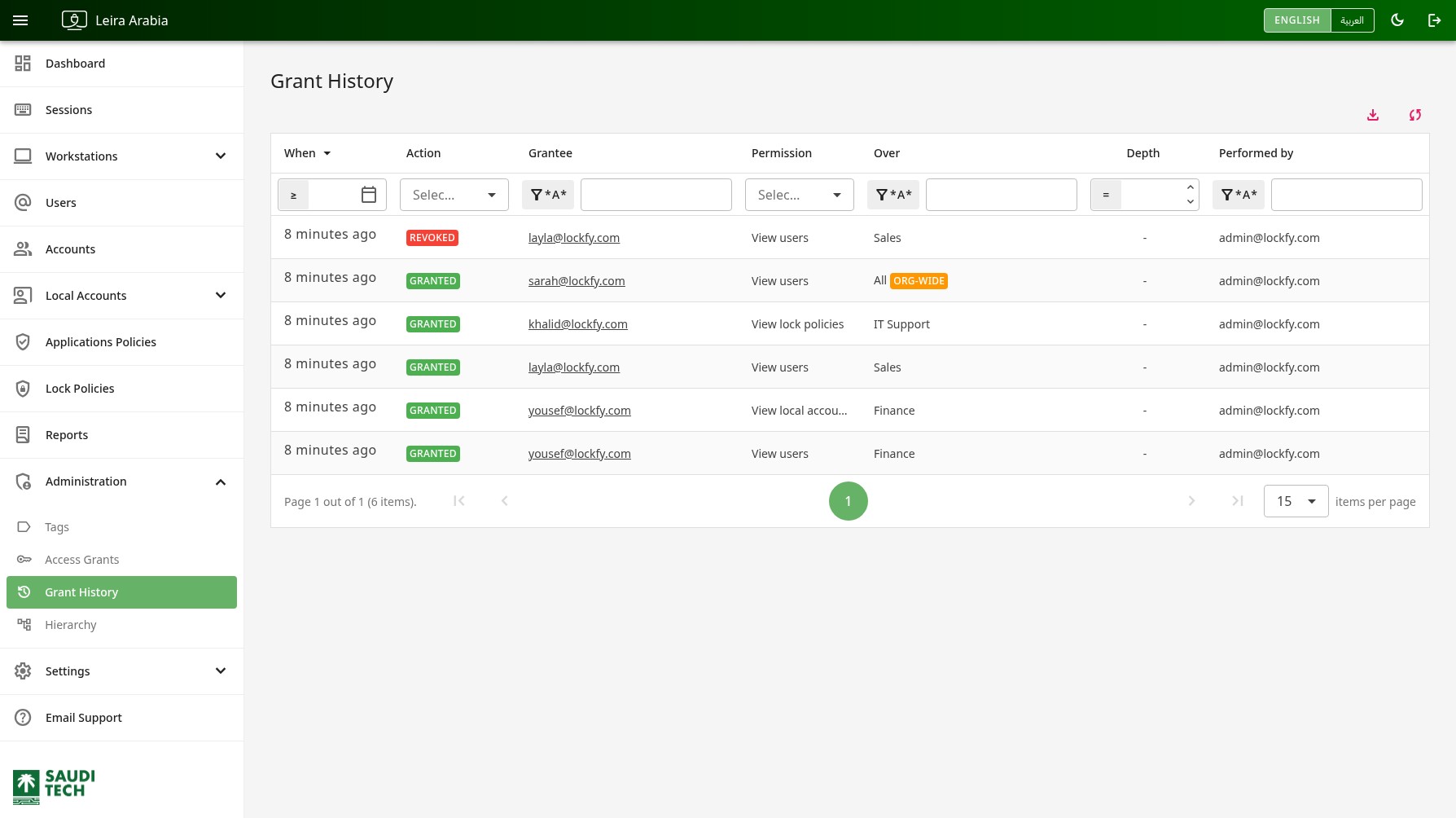
Grant History is the permanent record of delegated access. Every grant issued on the Access Grants page adds a row here, and so does every revocation.
The Access Grants page answers “who can see what right now”. This page answers “who could see what, when, and which administrator decided that” — the question an audit or an incident review asks.
History Table
Section titled “History Table”Each row is one action taken on one grant. Rows are listed newest first.
When: When the action was taken.Action:GRANTEDwhen the access was issued,REVOKEDwhen it was withdrawn.Grantee: The person the access was given to or taken from.Permission: The permission involved.Over: The scope the grant applied to. Org-wide grants carry theORG-WIDEbadge.Depth: For team-based grants, how far down the reporting line the access reached.Performed by: The administrator who issued or revoked the grant.
The table header includes the following quick actions:
- download Export the current data set to Excel.
- sync Refresh the list.
Every column can be filtered and sorted, so you can answer questions like “everything granted over the Finance tag this quarter” or “everything a particular administrator issued”.
Why this page exists separately
Section titled “Why this page exists separately”Revoking a grant removes it from the Access Grants list completely. Without this record, access could be granted, used, and withdrawn leaving nothing behind to review. Grant History also records who issued each grant, which the live grants list does not show.
Records are kept, not corrected
Section titled “Records are kept, not corrected”Rows are written when the action happens and are never edited or deleted afterwards. There is no way to change history from the portal.
Each row stores the grantee, the administrator, and the scope as they read at the time. If a user is deleted from Lockfy afterwards, their grant history stays and still names them. If a tag is renamed, older rows keep the name the tag had when the grant was made — so a row always describes what was actually decided, not what things are called today.
Access
Section titled “Access”Grant History is available to global administrators only. Delegated administrators cannot see it, including for grants issued to them.