Local Accounts List
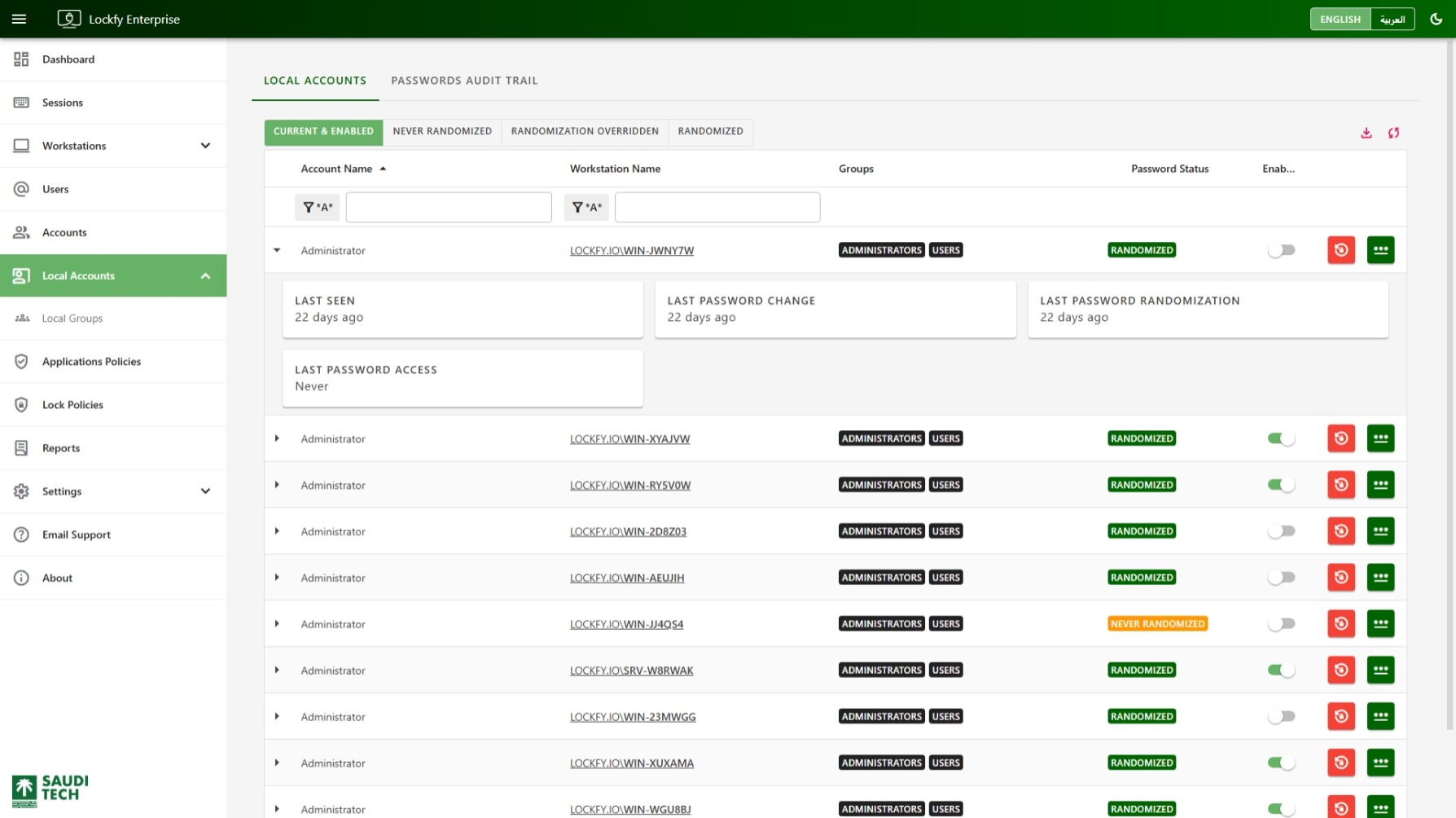
This page shows local accounts discovered across managed workstations. Use it to review account state, identify which local groups accounts belong to, and perform password-related actions when operational access is required.
Filters
Section titled “Filters”Use the quick filters below the title to narrow the list:
Current & Enabled: Show local accounts that are currently enabled.Never Randomized: Show accounts whose password has never been randomized by Lockfy.Randomization Overridden: Show accounts whose password was changed outside Lockfy after a previous randomization. This usually means the password no longer matches the value last set by Lockfy.Randomized: Show accounts whose password is currently managed through Lockfy randomization.
Actions Available Per Account
Section titled “Actions Available Per Account”Each row can expose the following actions:
- Enable or disable the local account. Requires a connected workstation.
- Randomize the local account password.
- Generate a temporary local account password. Requires a connected workstation.
The table also shows the local groups each account belongs to on the workstation. Selecting a group opens the group details page so you can review membership across the environment.
Table Quick Actions
Section titled “Table Quick Actions”- download Export the current data set to Excel.
- sync Refresh the list.
Randomize Account Password
Section titled “Randomize Account Password”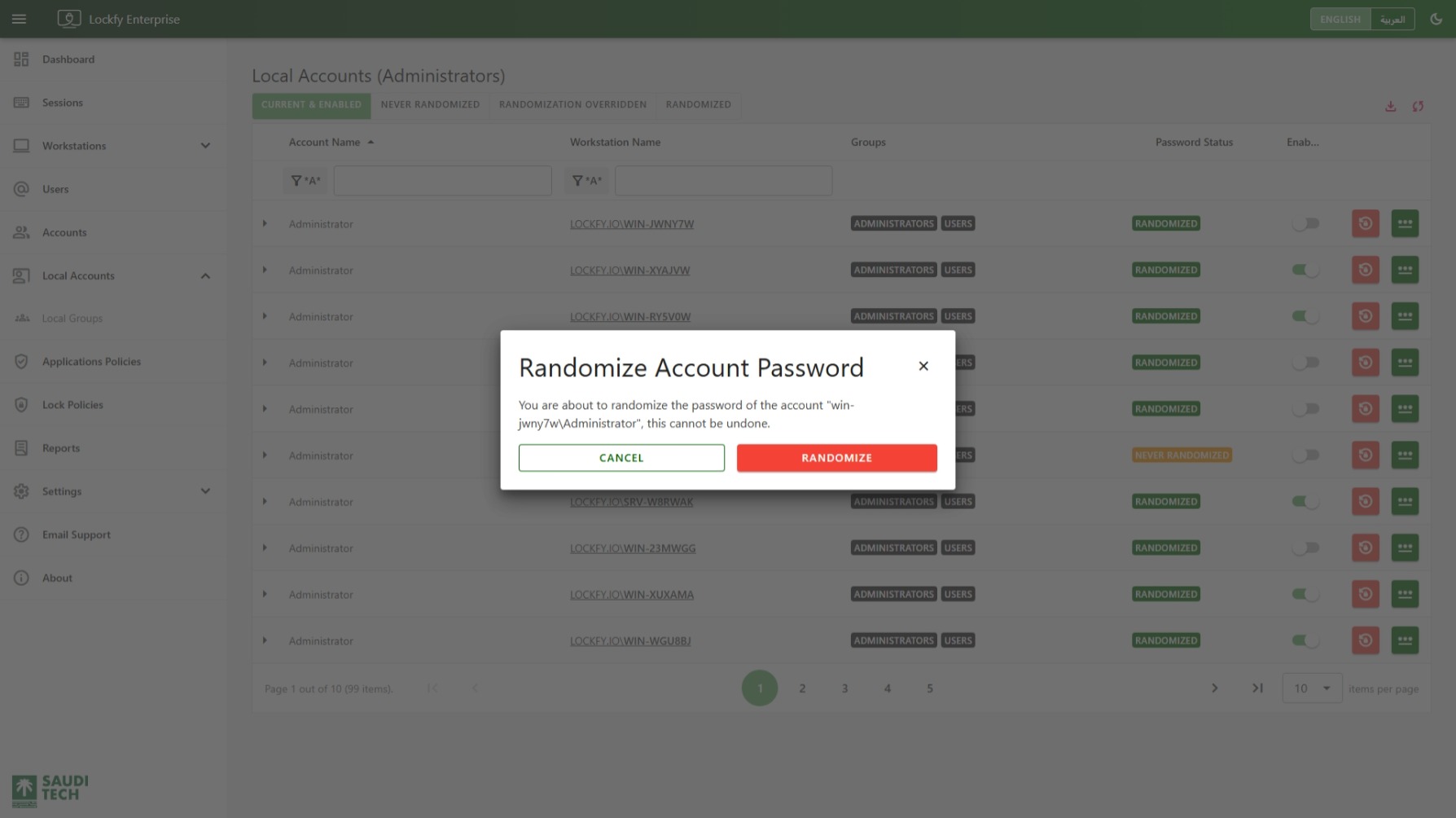
Select to randomize a local account password. If the workstation is connected, the action runs immediately. If it is offline, the action is queued until the agent reconnects.
The new password is generated on the workstation agent according to the policy configured in Passwords Randomization and Access. The agent updates the password locally and removes the generated value from memory without sending it to the server.
Access Account Password
Section titled “Access Account Password”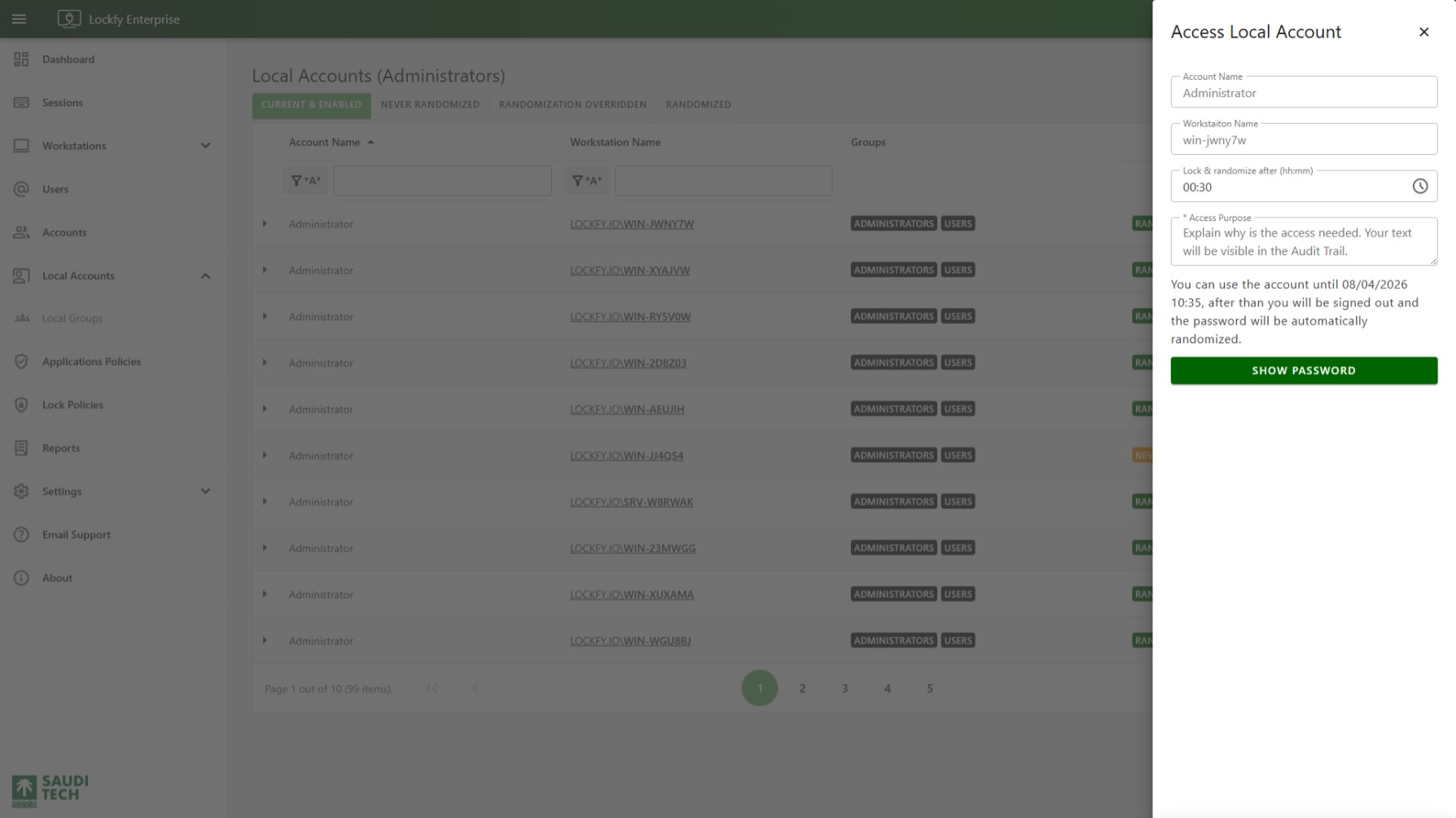
To generate a temporary password, the workstation must be connected to the server.
Select to open the Access Local Account blade. Complete the following fields:
Lock & randomize after: How long the temporary password should remain valid.Access Purpose: Why access is being requested.
The server sends the request to the agent, which generates the password according to the configured temporary password policy from Passwords Randomization and Access and returns it for one-time display. If the password is not recorded when shown, it cannot be retrieved later and a new request is required.
When the access window expires, the signed-in user is logged out and the password is randomized in memory. This schedule is stored on the agent, so it still executes even if the workstation later loses connection to the server.
If multiple temporary access requests are created for the same local account, Lockfy enforces the earliest expiration time. For example, if one request allows 5 minutes of access and another allows 15 minutes, sign-out and password randomization occur after 5 minutes. Avoid stacking temporary access requests for the same account.