Webhooks
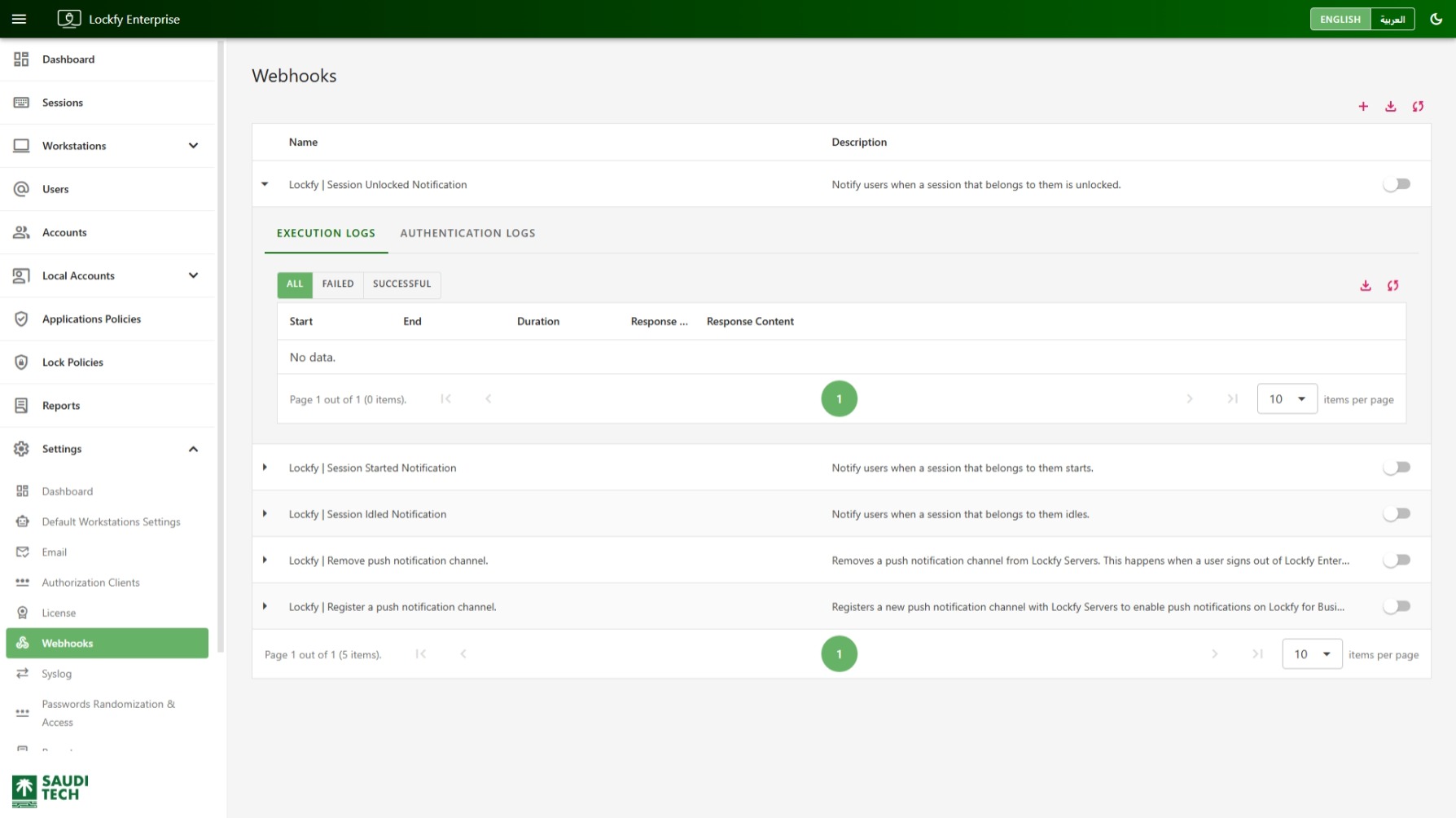
Use the Webhooks page to configure outbound HTTP callbacks that notify external systems when selected Lockfy events occur. This page is useful for integrations with automation platforms, monitoring systems, ticketing workflows, or custom APIs.
If your integration expects syslog rather than HTTP callbacks, see Syslog.
Webhook List
Section titled “Webhook List”The main list shows the configured webhooks and includes the following columns:
Name: The display name of the webhook.Description: A short explanation of what the webhook is used for.
Each row can be expanded to show detailed logs for that webhook. The page header also includes the following quick actions:
- add Open the form to create a new webhook.
- download Export the current data set.
- sync Refresh the list.
Each webhook row also includes a toggle next to it so that specific webhook can be enabled or disabled without changing the others.
Expanded Webhook Details
Section titled “Expanded Webhook Details”Expanding a webhook shows two tabs:
Execution LogsAuthentication Logs
Both tabs use the same table structure.
The log table includes:
Start: When the request or authentication operation started.End: When it completed.Duration: The total processing time.Response Code: The HTTP status or returned result code.Response Content: The returned body or response details.
Each log tab also includes the following status filters:
AllFailedSuccessful
Use Execution Logs to review actual webhook delivery attempts, and use Authentication Logs to review the authentication requests made on behalf of the webhook when an authenticated mode is configured.
Creating a New Webhook
Section titled “Creating a New Webhook”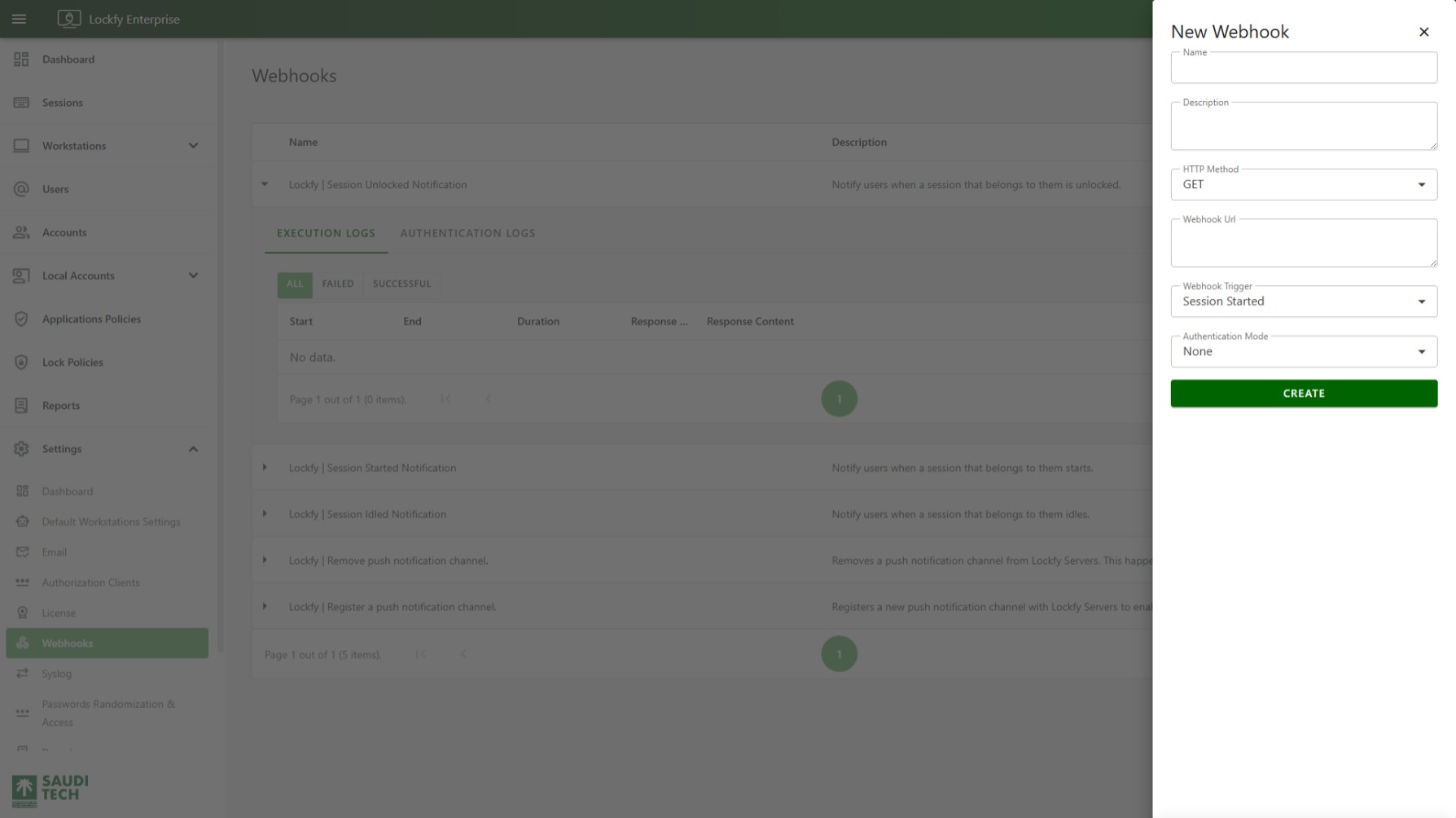
Selecting the add action opens the New Webhook sidebar.
The form shown includes the following base fields:
NameDescriptionHTTP MethodWebhook UrlWebhook TriggerAuthentication Mode
Select Create after completing the form.
HTTP Methods
Section titled “HTTP Methods”The supported HTTP methods are:
GETPOSTPUTDELETEPATCH
Choose the method expected by the receiving system.
Webhook Triggers
Section titled “Webhook Triggers”The Webhook Trigger field can be set to any of the following event types:
Session LockedSession UnlockedSession IdledSessions ActivatedSession StartedSession EndedWorkstation ConnectedWorkstation DisconnectedNotifiable Device UpdatedNotifiable Device RemovedWorkstation Compliance Status Changed
Choose the trigger that matches the event your external system needs to receive.
Authentication Modes
Section titled “Authentication Modes”The Authentication Mode field supports the following options:
NoneBasicOAuth Resource Owner PasswordOAuth Client CredentialsAPI Key
Each mode requires a different set of fields.
Use None when the destination endpoint does not require authentication.
Basic authentication requires:
UsernamePassword
OAuth Resource Owner Password
Section titled “OAuth Resource Owner Password”OAuth Resource Owner Password requires:
Token UrlUsernamePasswordClient IdClient SecretScope
OAuth Client Credentials
Section titled “OAuth Client Credentials”OAuth Client Credentials requires:
Token UrlClient IdClient SecretScope
API Key
Section titled “API Key”API Key authentication requires:
API Key Header NameAPI Key
Recommended Use
Section titled “Recommended Use”Use webhooks when Lockfy events need to trigger downstream actions in another system. After configuring a webhook, expand its row and review the log tabs to confirm that both authentication and event delivery are succeeding.