Session Details
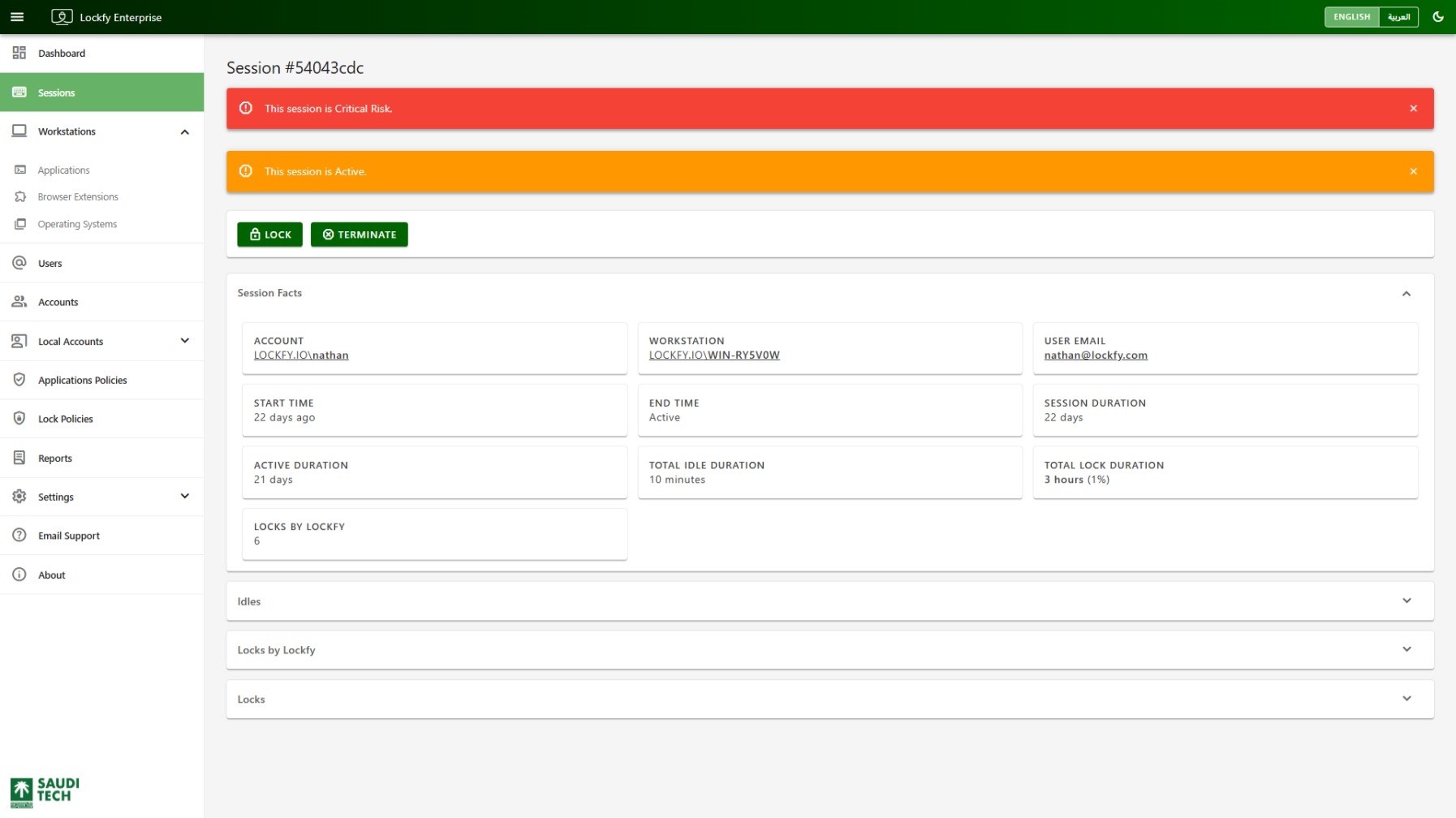
The session details page provides a full timeline for a single session. Use it to understand who signed in, where the session ran, how long it stayed active, when it became idle, and whether Lockfy intervened.
Alerts and Actions
Section titled “Alerts and Actions”The top section highlights important status conditions, such as:
This session has ended.This session is X Risk.This session is Active.
If the workstation is connected and the session is active, the page can expose two response actions:
Lock: Lock the session immediately.Terminate: End the session and sign out the user.
Session Facts
Section titled “Session Facts”This section summarizes the core facts for the selected session.
Account: The account used to sign in.Workstation: The workstation where the session ran.User Email: The user mapped to the account.Start Time: When the session began.End Time: When the session ended, orActiveif it is still running.Session Duration: Total elapsed time from start to end.Active Duration: Time spent in an active state.Total Idle Duration: Time spent idle and unlocked.Total Lock Duration: Time spent locked.Locks by Lockfy: Number of times Lockfy locked the session.
This section records each idle period that occurred during the session, including start time, end time, and total duration.
The table header includes the following quick actions:
- download Export the current data set to Excel.
- sync Refresh the list.
Locks by Lockfy
Section titled “Locks by Lockfy”This section records lock actions that Lockfy initiated during the session. Rows can link back to the related session, workstation, account, and user records.
The table header includes the following quick actions:
- download Export the current data set to Excel.
- sync Refresh the list.
This section records every lock period observed during the session, including start time, end time, and duration.
The table header includes the following quick actions:
- download Export the current data set to Excel.
- sync Refresh the list.