Applications Policies List
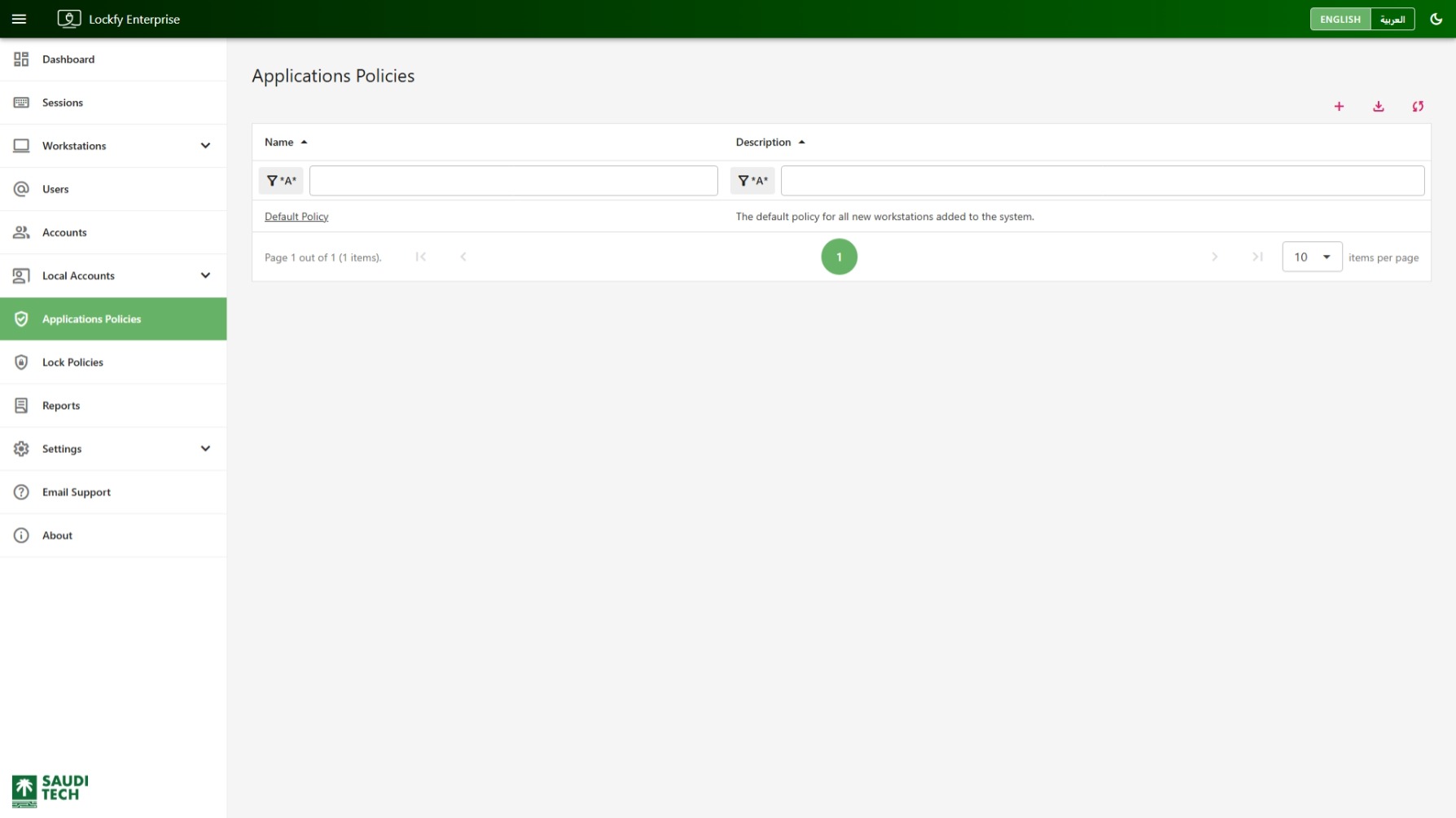
This page lists the application policies available in Lockfy. Use it to review the policies currently defined for the environment and confirm which baseline policy is applied when new workstations are added to the system.
The table shows the policy name and description. In the default configuration, the list includes the built-in Default Policy, which is used for all newly added workstations unless another policy is assigned.
Table Filters
Section titled “Table Filters”Use the filter row below the column headers to search within the list:
Name: Find a policy by its display name.Description: Find a policy by text in the policy description.
Table Quick Actions
Section titled “Table Quick Actions”- add Open the create panel to add a new application policy.
- label Tag the selected applications policies. Select rows using the checkboxes first. Available to global administrators.
- download Export the current data set to Excel.
- sync Refresh the list.
Tagging an applications policy lets access to it be delegated over that tag — see Tags and Access Grants.
Create New Application Policy
Section titled “Create New Application Policy”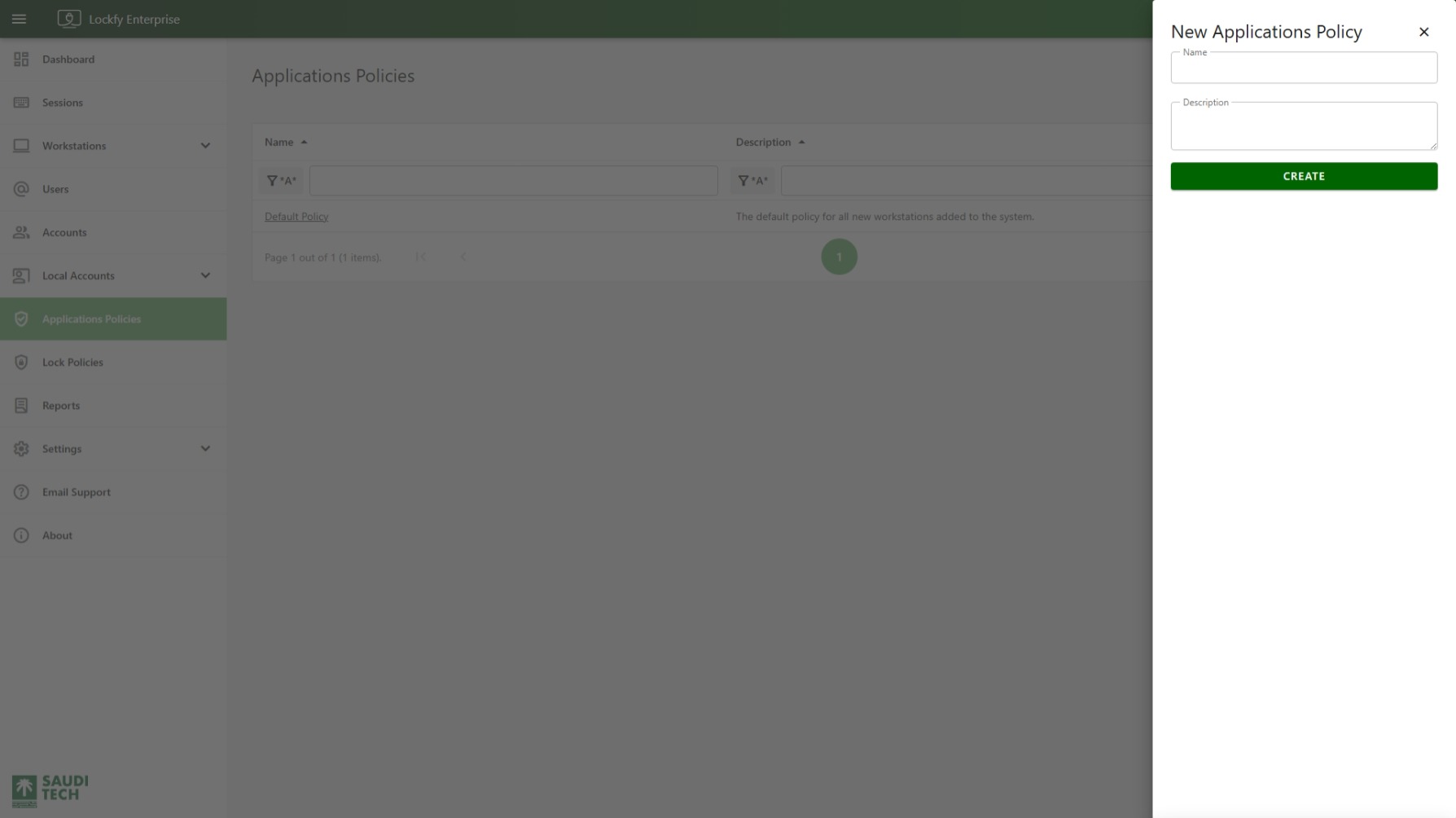
Select add to open the New Applications Policy panel from the right side of the page.
Complete the following fields:
Name: The policy name shown in the list.Description: A short explanation of what the policy is intended to control.
Select Create to save the policy and add it to the list.