Authorization Clients
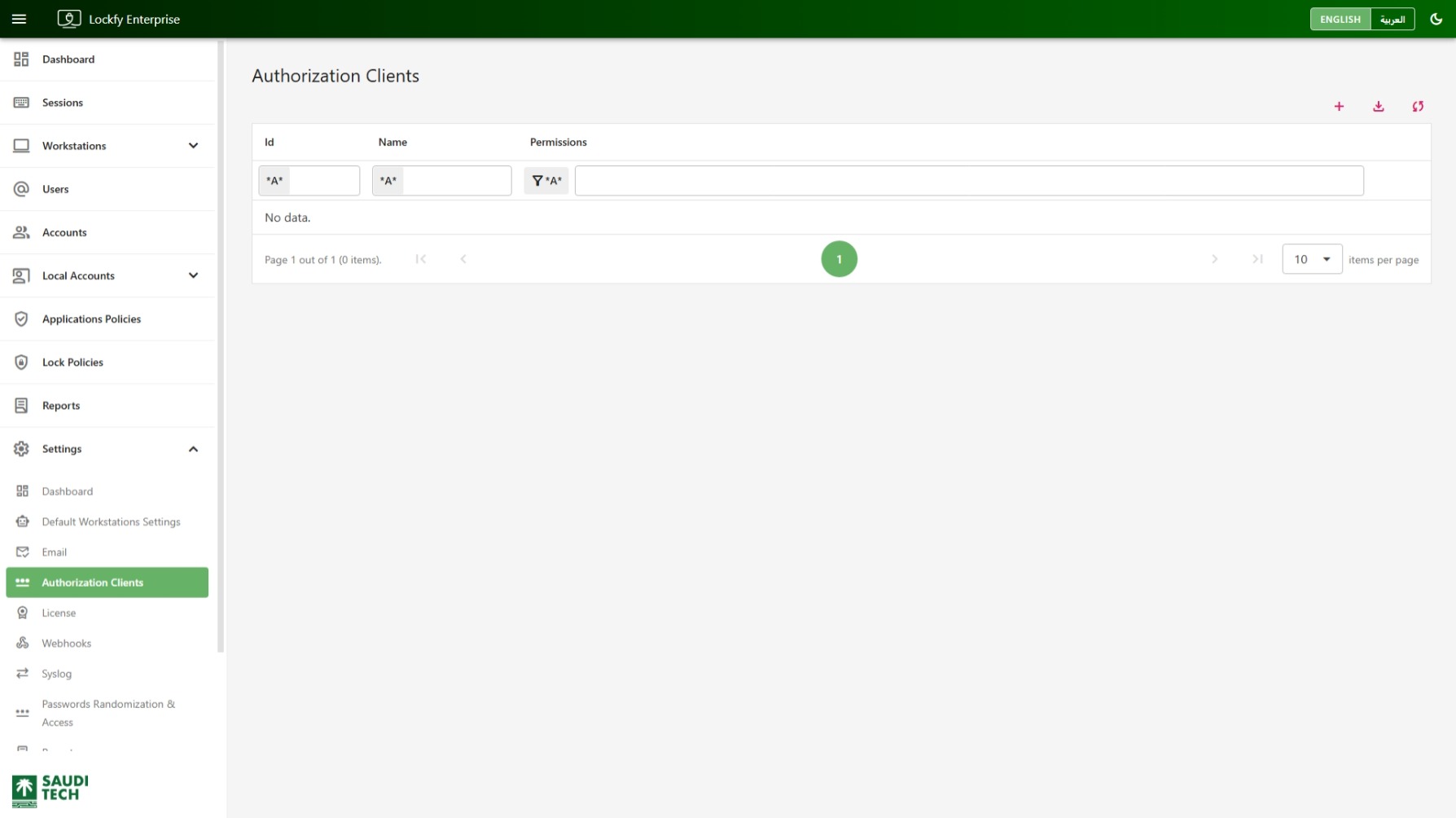
Use the Authorization Clients page to manage OAuth applications that integrate with the Lockfy API. These clients allow external systems, portals, mobile apps, and agents to authenticate securely and request only the permissions they need.
Client List
Section titled “Client List”The main page lists the authorization clients currently defined in the system.
The table shown includes the following columns:
Id: The internal identifier of the authorization client.Name: The display name of the client application.Permissions: The granted permissions or scopes associated with the client.
Column filters are available so you can search by client identifier, name, or permissions.
The table header includes the following quick actions:
- add Open the form to create a new authorization client.
- download Export the current data set.
- sync Refresh the list.
The table also supports pagination for environments with multiple client definitions.
Creating a New Authorization Client
Section titled “Creating a New Authorization Client”
Selecting the add action opens the New Authorization Client panel.
Use this form when you need to register an OAuth application so it can authenticate against Lockfy securely.
The form includes the following fields:
Name: A descriptive name for the integrating application.Grant Type: The OAuth flow used by the client.Scopes: The permissions available to the client.Client Id: The public identifier used by the application.Client Secret: The secret credential paired with the client identifier.
Grant Types
Section titled “Grant Types”The page shown provides two grant type options:
Email & Code [Password]: Intended for user-based authentication flows.Non-User [Client Credentials]: Intended for service-to-service or daemon-style integrations.
Choose the grant type that matches how the application will authenticate.
Scopes
Section titled “Scopes”Scopes determine what the client can access after authentication. The options shown include:
Mobile ClientWeb PortalWorkstations AgentLock & Terminate Any Session
Assign only the scopes the application actually needs. This reduces risk and follows least-privilege access practices.
Generating Client Credentials
Section titled “Generating Client Credentials”The Client Id and Client Secret values can be generated directly from the form by selecting the button inside each textbox.
This is the preferred way to create credentials because it produces ready-to-use values inside the portal without requiring manual entry.
After the values are generated and the rest of the form is complete, select Create to save the authorization client.
Recommended Use
Section titled “Recommended Use”Use authorization clients for trusted integrations that need API access, such as:
- External applications that read Lockfy data.
- Internal portals that integrate with Lockfy services.
- Agents or backend services that authenticate without interactive users.
Choose scopes carefully and store the generated client secret securely. If a secret is exposed, the client should be rotated or recreated.